



Listen to alyzea - logged in for hours while reading!
There's a special kind of fun in taking a machine that the e-waste gods already claimed and turning it into something useful. This is the story of how a 2007 Acer Aspire 5315, with its dead CMOS battery, dying speaker, and single-core Celeron 560, became a Docker server running in my living room in 2026.
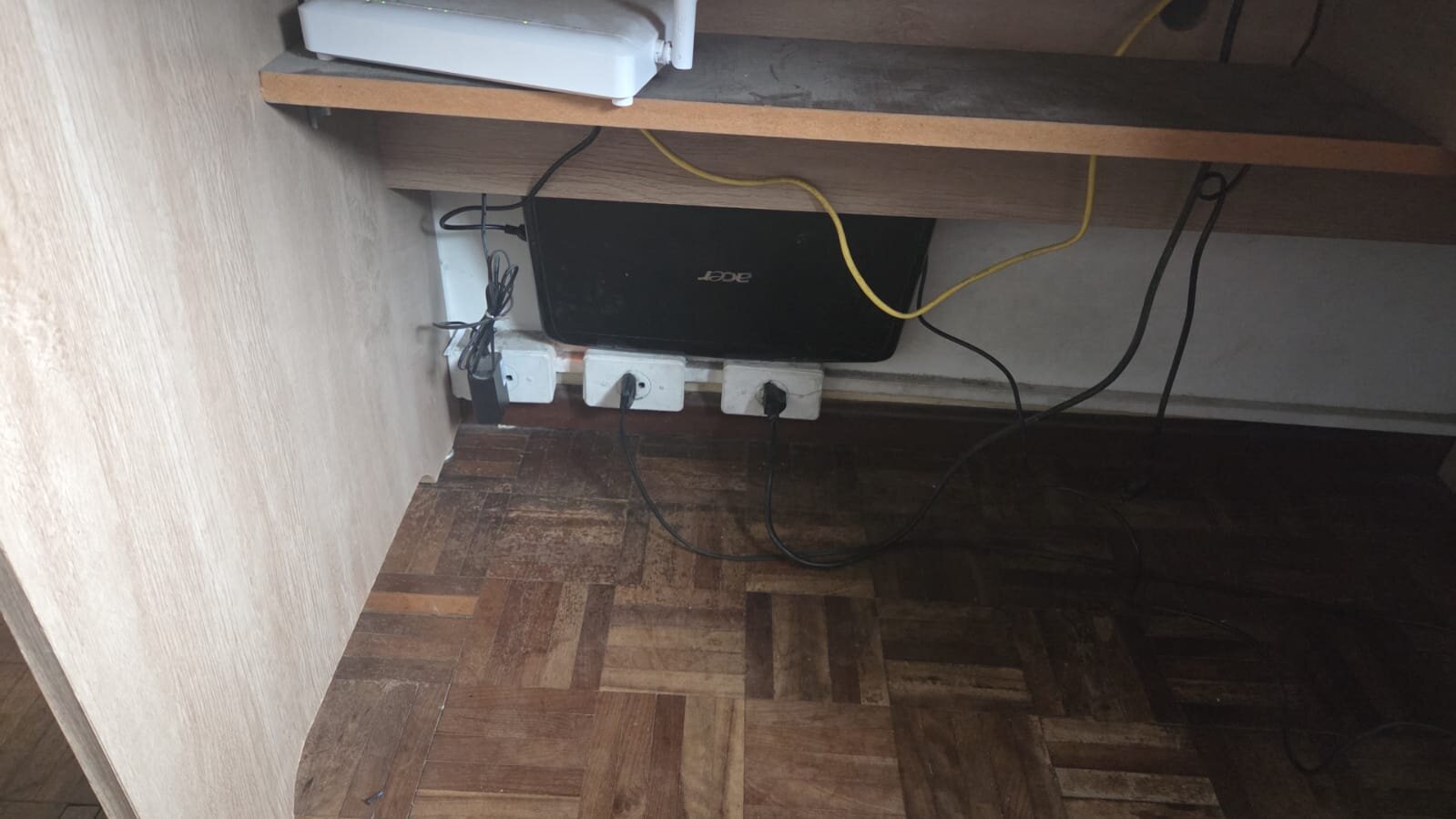
the corpse
The specs would make a Raspberry Pi laugh:
- Intel Celeron 560 @ 2.13 GHz (single core, no hyperthreading, no feelings)
- ~1 GB of RAM
- 320 GB spinning HDD (Samsung HM320JI)
- BIOS only, of course. UEFI was two years in the future
- A CMOS battery so dead that the hardware clock boots into January 1st, 2001
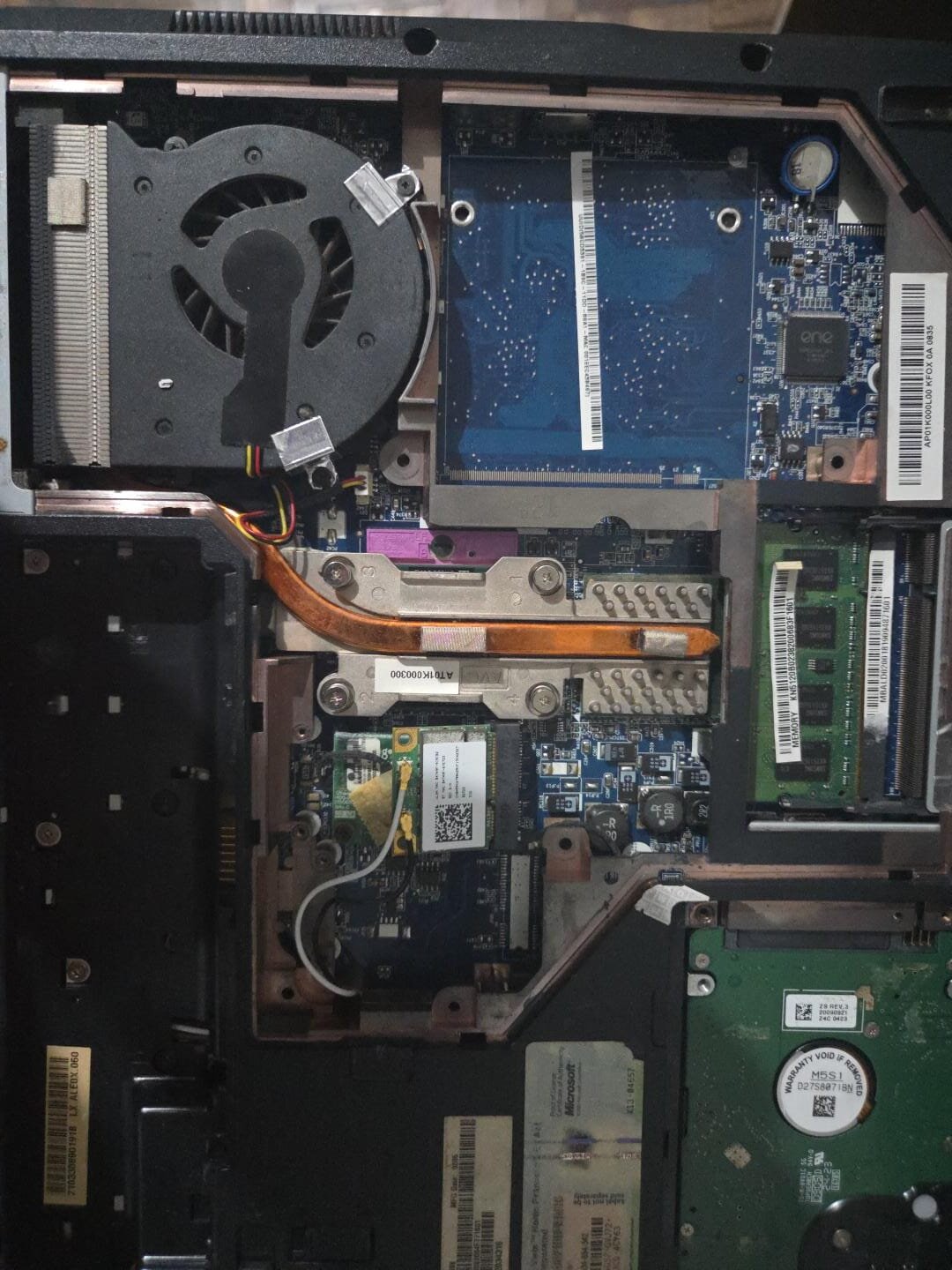
The plan: Alpine Linux edge, Docker, SSH, Tailscale. A headless box that costs zero dollars and uses about 35 watts.
installing linux without an installer
Here's the part I'm proudest of. Instead of burning an ISO, I plugged the laptop's HDD into a USB adapter on my desktop, partitioned it there, and hand-built the system:
# MBR layout: 512M /boot + everything else /
sfdisk /dev/sdb <<EOF
label: dos
start=2048, size=1M, type=83
start=3072, type=83
EOF

# Alpine minirootfs: a ~30MB tarball that IS the distro
wget https://dl-cdn.alpinelinux.org/alpine/edge/releases/x86_64/alpine-minirootfs-3.25.0_alpha20260805-x86_64.tar.gz
tar -xzf alpine-minirootfs-*.tar.gz -C /mnt/alpine

# chroot in and build the world
mount --bind /dev /mnt/alpine/dev && chroot /mnt/alpine
apk add linux-lts linux-firmware grub-bios docker openssh ...
A minirootfs install is a bit like assembling furniture from the parts list instead of the instructions, you get to see every screw. It also means you're responsible for things an installer usually hides.
The bugs an installer would have hidden
And hide them it does. Three gems from this install:
1. The empty runlevels. A minirootfs ships with nothing in /etc/runlevels/*. After my first boot the network card driver never loaded, no eth0 at all. The culprit: the hwdrivers service was missing from sysinit. OpenRC doesn't just "start services"; someone has to put them in the right runlevel, and that someone is you.
2. The user with a shell that didn't exist. I set my user's shell to /bin/bash, but the path was written as /usr/bin/bash somewhere in my notes. sshd refused every login with the wonderfully opaque User luis not allowed because shell /usr/bin/bash does not exist. A one-character path bug on a machine 5,000 km away from the user.
3. The initramfs that couldn't mount root. Boot hung with mount: mounting /dev/sda2 on /sysroot failed: No such file or directory. The fix was adding rootfstype=ext4 to the kernel command line, without it, mkinitfs tries every filesystem and gives up.
test the whole boot before touching the laptop
The HDD was still in a USB adapter on my desk, so I did something absurd and wonderful: booted the laptop's future disk in QEMU on the desktop, with port-forwarded SSH:
qemu-system-x86_64 -enable-kvm -cpu host -m 1024 \
  -drive file=/dev/sdb,format=raw,if=ide \
  -nic user,model=e1000,hostfwd=tcp:127.0.0.1:2222-:22
Before the laptop even knew anything was happening, I had confirmed: GRUB boots, kernel boots, network comes up, sshd accepts logins, Docker runs hello-world, both swaps are active. Finding a boot bug in QEMU takes 30 seconds; finding it on a 2007 laptop whose only output is beep codes takes a lot longer.
when your filesystem can't trust time itself
The laptop finally booted from its own hardware. Then I ran apk add micro:
ERROR: micro-2.0.15-r6: TLS: server certificate not trusted
Every HTTPS fetch failed. Why? I ran date:
Mon Jan 1 17:52:41 -02 2001
The dead CMOS battery meant every boot starts in 2001, and no TLS library on earth will accept a certificate "not yet valid" for another decade. Worse: chronyd refuses to make a 25-year jump automatically, because a correction that big looks like a broken clock, not a broken timezone.
The fix that made me feel smart:
# /etc/chrony/chrony.conf
makestep 1.0 3
makestep says "in the first 3 clock updates, if the offset is huge, just step the clock instead of gently slewing it." Now every boot self-heals: kernel comes up in 2001, chronyd politely time-travels to the present, and TLS works. The clock is wrong for about four seconds per boot, which is the most acceptable way to be wrong.
1 gb of ram: swap architecture
With this little memory, swap isn't an afterthought, it's architecture. The setup:
- 4 GB of zram (compressed RAM swap, lz4, priority 100), this is what gets touched first
- 4 GB swapfile on disk (priority -2), the overflow valve
- sysctl tuned for the compressed-swap life:
vm.swappiness = 150          # yes, over 100, zram is faster than disk
vm.page-cluster = 0          # 4KB swap pages, zram doesn't want clustered reads
kernel.sched_autogroup_enabled = 1
vm.watermark_scale_factor = 125
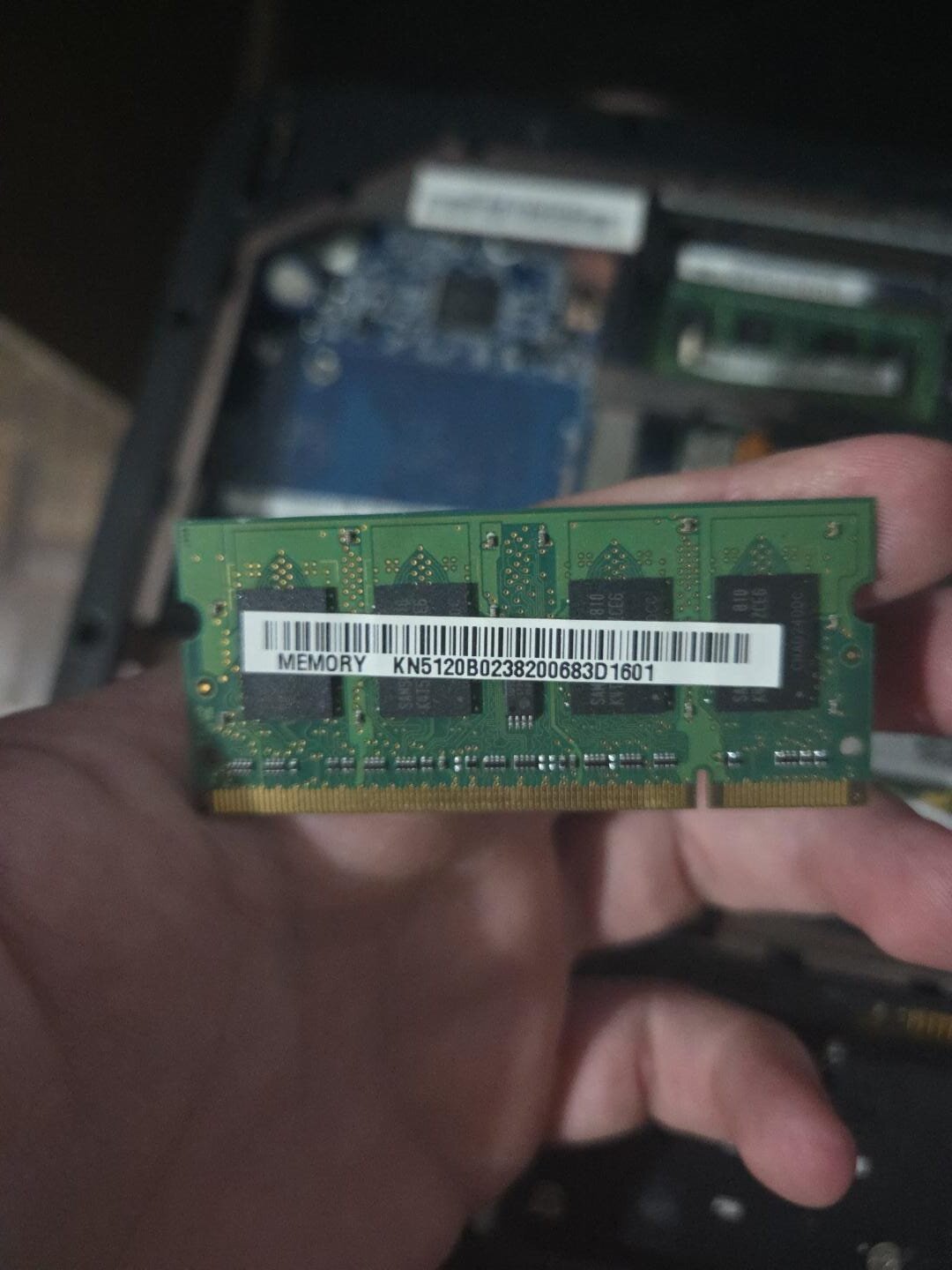
Result: about 190 MB of RAM in use with Docker, sshd, chrony and tailscaled all running. Idle load 0.00.
the hdd deserves better deadlines
A spinning disk with a single-core CPU means the I/O scheduler matters. The default mq-deadline optimizes latency at the storage layer; BFQ optimizes fairness between processes, when a build is hammering the disk, my SSH session still feels snappy:
ACTION=="add|change", KERNEL=="sd[a-z]", ATTR{queue/rotational}=="1", ATTR{queue/scheduler}="bfq"
Plus read_ahead_kb=1024 (spinning disks love reading ahead) and commit=60 on ext4 so the journal doesn't flush every 5 seconds.
silencing the machine
This part got weird. The laptop beeped. A lot. Every boot, a chorus of PC-speaker shrieks. I spent a while blaming GRUB, then the kernel, then myself:
- Blacklisted
pcspkr(module never loads now) - Emptied
GRUB_INIT_TUNE(no boot melody) - Set
GRUB_TIMEOUT=0(it kept stopping at the menu and, with a flaky keyboard, beeping at me)
…only to realize the beeps happen before the bootloader loads. It's the BIOS POST, screaming "YOUR CMOS BATTERY IS DEAD" in the only language it speaks. You cannot silence a BIOS POST beep with software. That one costs exactly one CR2032 and five minutes with a screwdriver. Fair trade.
While I was in there, I made the machine fully silent in spirit:
- Auto-login on tty1:
getty -n -lpointing at a tiny script that runslogin -f luis. It's a headless server; the console shouldn't demand a password - Killed the LCD: a
local.dscript that writes4(power off) tobl_powerand the framebuffer blank at every boot. The screen doesn't "show a console", it just doesn't exist anymore. Recovery is one SSH command away, which is exactly how a server should work
the tailscale death spiral (and how to avoid it)
Tailscale on a home server is a superpower: the box gets a stable 100.x address reachable from anywhere, no port forwarding, no router configs. Mine connects directly to my desktop, no relay in between.
But I learned about a failure mode the hard way. Tailscale, by default, takes over /etc/resolv.conf and points it at its own MagicDNS resolver (100.100.100.100). If tailscaled ever goes down while it owns your DNS… your machine can't resolve names, which means it can't fetch controlplane.tailscale.com, which means tailscaled can't come back up. A service outage that prevents its own recovery, an ouroboros of DNS.
The server-side fix is one flag:
tailscale up --accept-dns=false
The server uses ordinary DNS (1.1.1.1), and MagicDNS still works on every other device in the tailnet. The loop can't happen again.
living with it
The daily-driver experience is nicer than "2007 laptop" suggests:
ssh server-acer -tt btop        # full TUI, UTF-8, via LAN
ssh server-acer-ts              # same box from anywhere on earth
docker run -d something         # 190MB of RAM says yes
cargo install anything          # musl-linked, static, fast
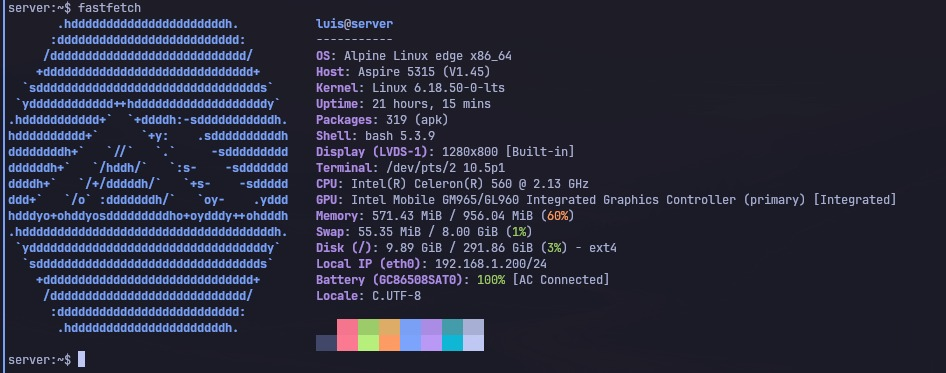
Btop on this machine taught me a lesson about Alpine: it has no locales at all out of the box (musl philosophy), so you install musl-locales, add LANG=C.UTF-8 to /etc/environment, and flip PermitUserEnvironment yes in sshd so that non-interactive ssh host 'btop' commands get the locale too. Every layer of a system has opinions about your terminal, apparently.
Oh, and compiling a Rust utility (swaptop) on a single-core 2.13 GHz Celeron takes about 20 minutes. It compiles. That's the point. It compiles.
the scoreboard
| Metric | Value |
|---|---|
| Cost of hardware | $0 (was headed to the trash) |
| RAM at idle, full stack | ~190 MB / 956 MB |
| Boot to SSH | ~40 s (HDD spinning rust included) |
| Packages installed | ~320 |
| BIOS beeps remaining | All of them (hardware's fault) |
| Time traveled per boot | 25 years, ~4 seconds |
what i'd tell someone doing this
- QEMU-test a bare-metal disk before bare metal. A spare disk in a USB adapter is a dress rehearsal.
- Minirootfs teaches you where the installer hides. Runlevels, initramfs features, users' shells, all yours.
- A wrong system clock breaks everything silently, then noisily.
makestepis your friend on dead-battery hardware. - On tiny-RAM boxes, design swap on purpose: zram first, disk second, sysctl to match.
- Headless means headless: auto-login console, powered-off screen, one flag so Tailscale can't take DNS hostage.
- Keep a CR2032 in the drawer. It's the cheapest uptime you'll ever buy.
The machine that couldn't boot a modern web page reliably in 2007 now runs containers around the clock, wakes up with the correct year, and answers SSH from two continents. Long live the dead.
(photos: mine)